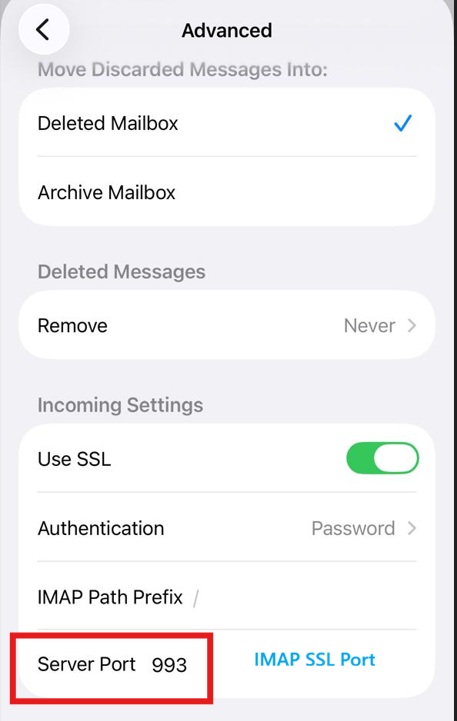
Below screenshots are used on iPhone mobile device using the iOS native email client to connect an email account using IMAP protocol.
1: Add new email account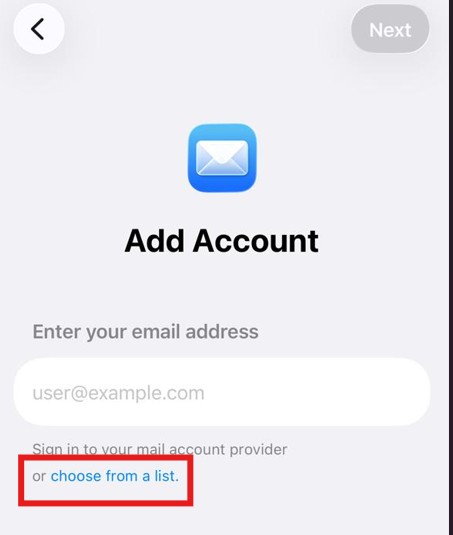
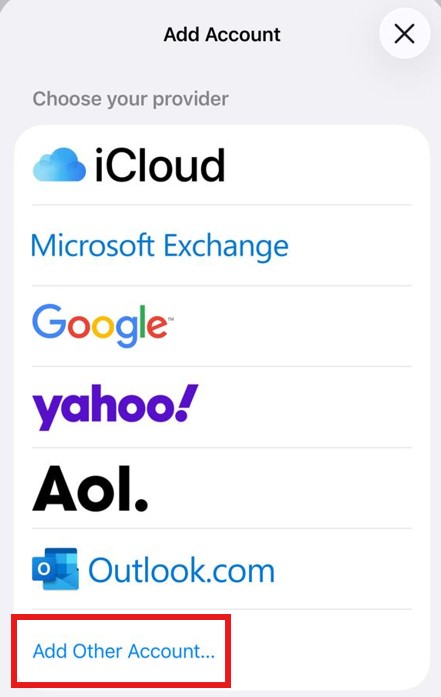
2: From the list select other
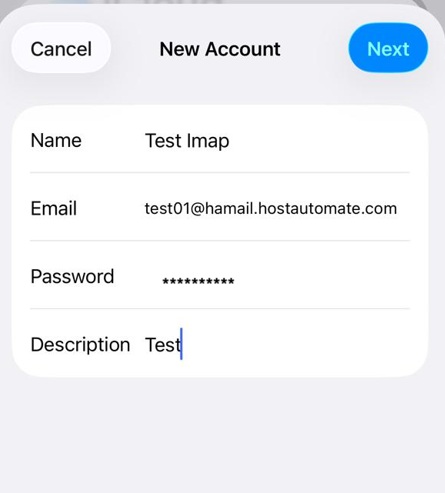
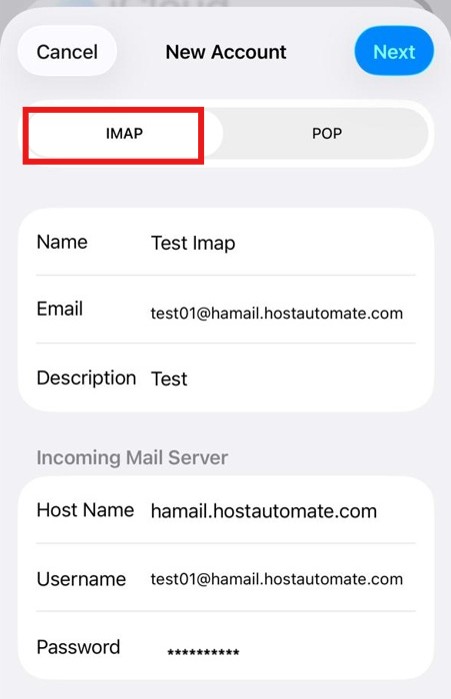
3: Insert your email address and the password
4: Chose IMAP protocol (If you want to connect using POP then use different port in upcoming screenshot rest of information remains the same)
SSL IMAP Port = 993
SSL POP Port = 995
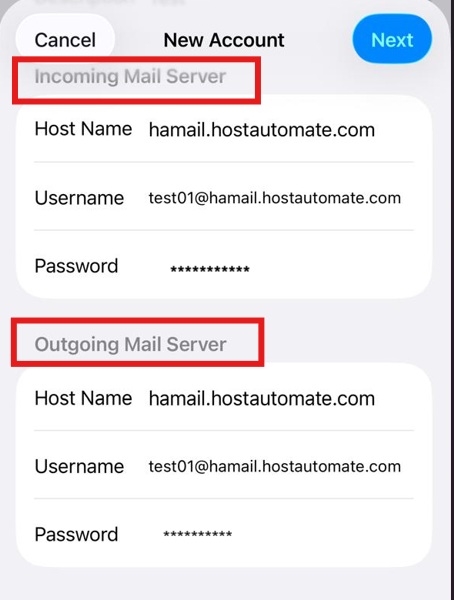
5: In outgoing email insert your email address and password as well
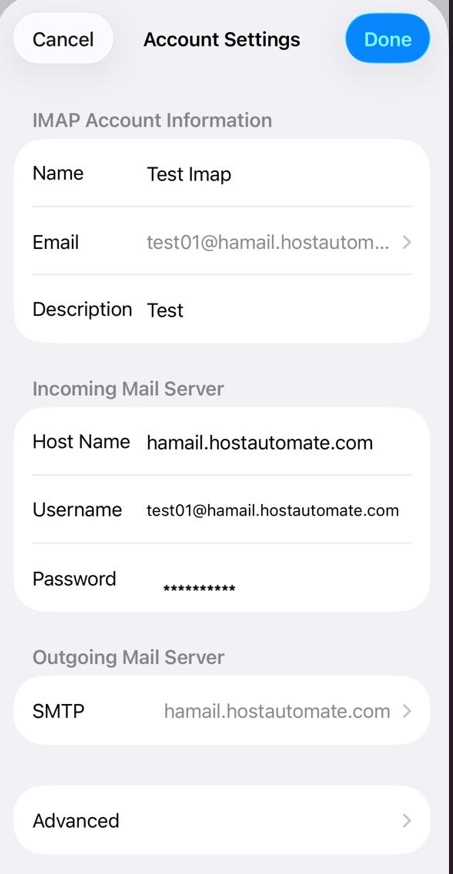
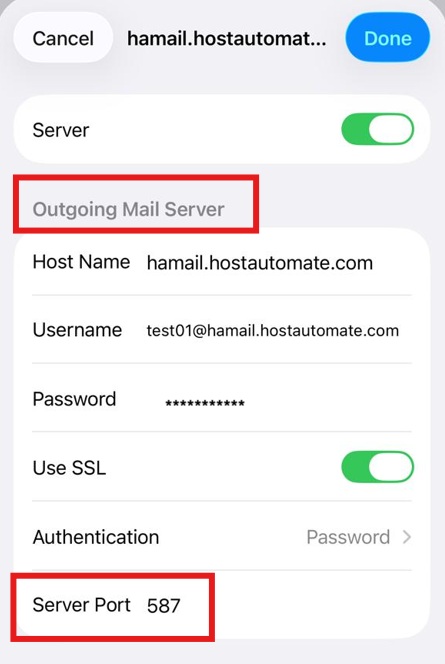
6: Outgoing SSL port = 587
7: Incoming Connection details